Available now
Available nowRunning in restaurants today.
These are in the product and you can try them in the demo above.
Time-clock and attendance
Staff clock in from their own phone inside the venue. Late and missing punches are flagged; corrections keep a trail.
Shift scheduling
Collect availability, publish the week per venue, and see the labour cost while you plan.
Staff records
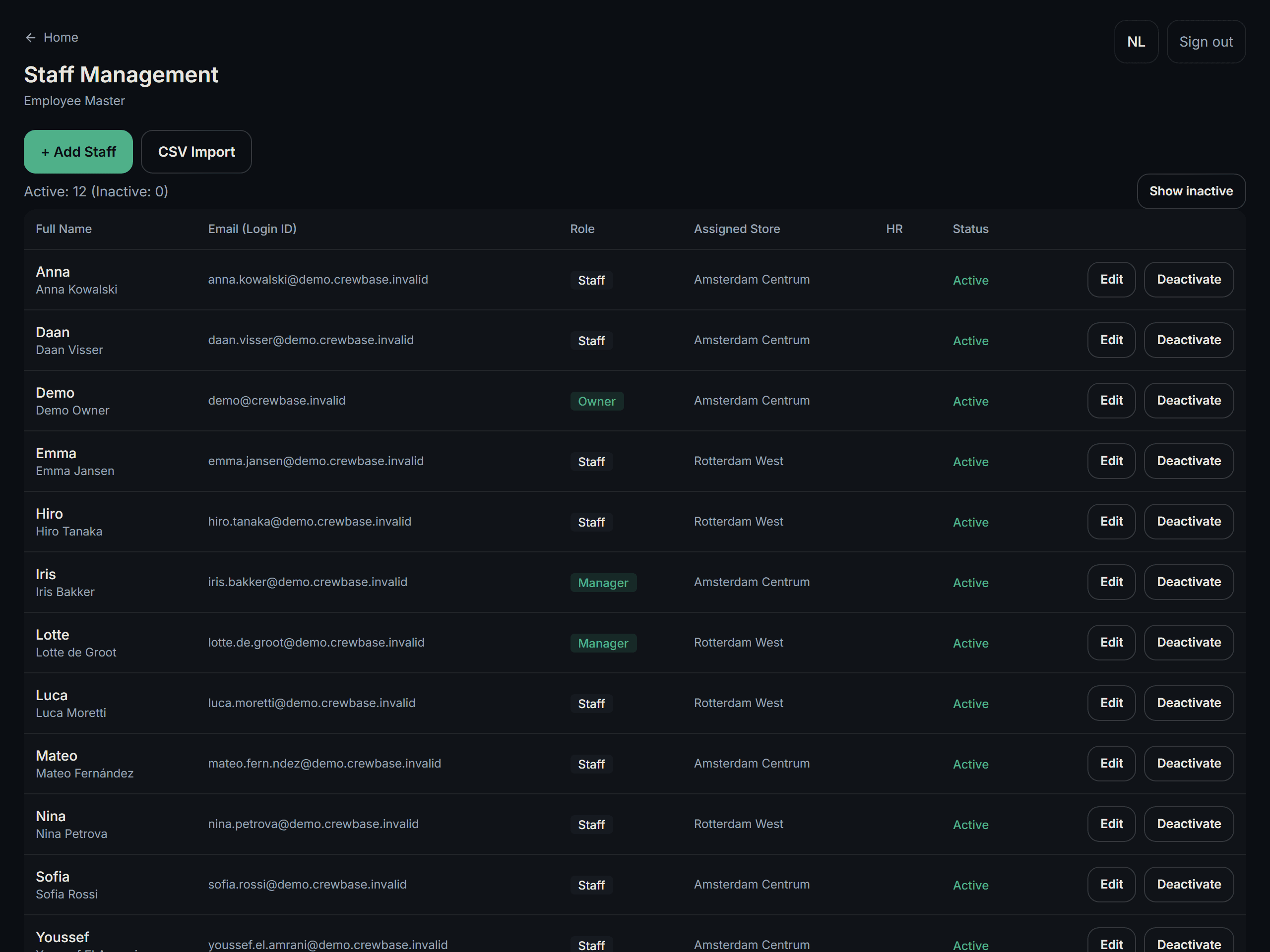
Roles, hourly rates and permit expiry in one place, so a contract or a visa does not run out unnoticed.
Daily register close
One form per venue per day: cash, PIN, delivery platforms and tips, with a cash count that has to add up.
FL analysis
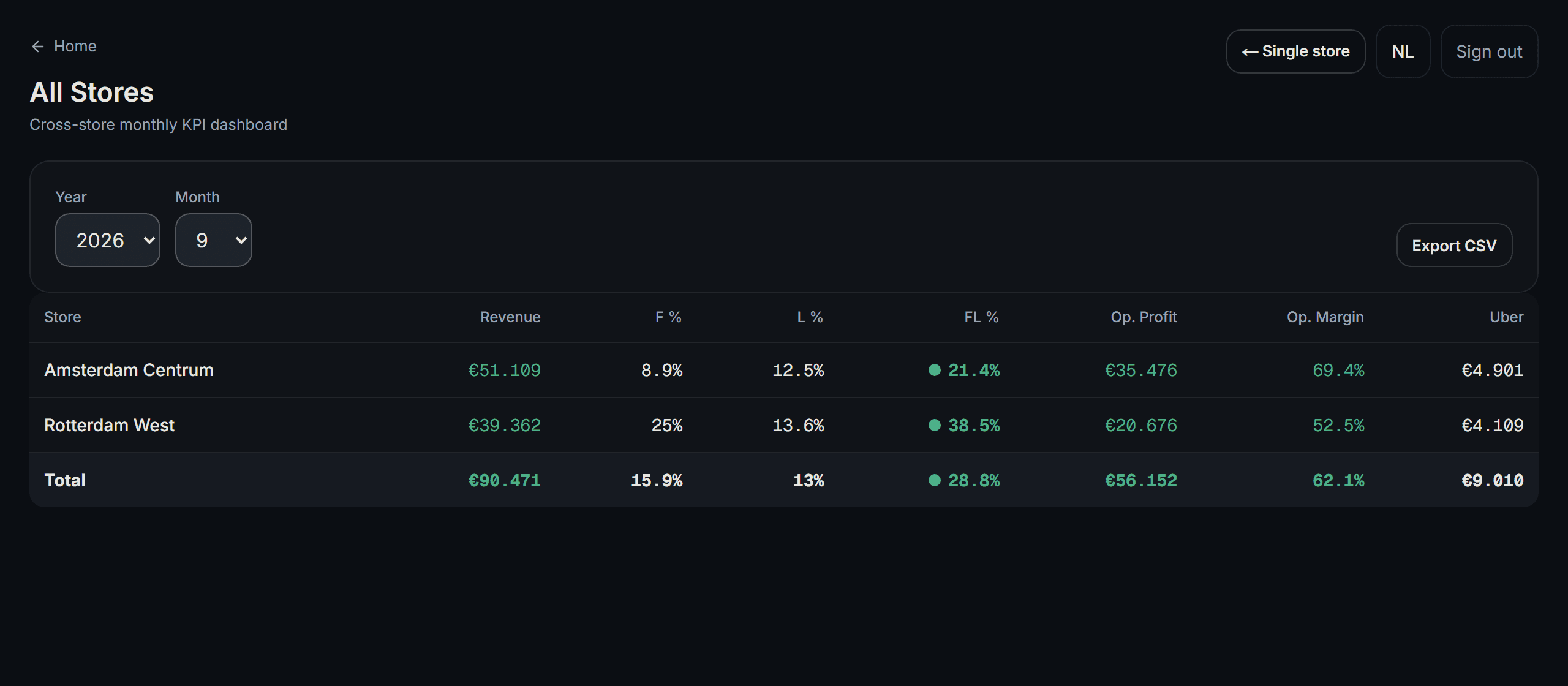
Food cost and labour cost against revenue, per venue and per month — the number you actually steer on.
Tip distribution
Hours-weighted per venue and period, with a per-person breakdown you can show the team.
Till import (CSV)
Import a CSV export from your current till and see sales per half hour next to the hours your team worked. CSV files only, one venue and one day at a time.
In development
Coming 2027Table ordering and paying at the table.
None of this is live yet. It is being built now, and this page will say so plainly the day each part ships.
Order by QR at the table
The guest scans the code on the table and orders from their own phone — no app to install.
Pay at the table
Card, Apple Pay, Google Pay and iDEAL / Wero, at the table instead of at the till.
Split the bill and tip
Guests split the bill between them and add a tip, without holding up the floor.
Kitchen display (KDS)
Orders land on a screen in the kitchen in the order they were placed.
Digital receipt
The receipt goes to the guest’s phone — no printer roll, no lost paper.
Live revenue
Sales as they happen, next to the staff currently on the floor.
How it will work
From the QR code to the day’s revenue.
This flow describes the 2027 release. Steps 1 to 6 are in development; step 7 exists today.
- 01
Scan
The guest scans the QR on the table.
- 02
Order
They order in their own language, with toppings and extras.
- 03
To the kitchen
The order appears on the kitchen screen straight away.
- 04
Prepare and serve
Your team cooks and runs the dish out.
- 05
Eat and order again
A second round goes on the same table order.
- 06
Pay at the table
They pay on their phone and split it if they want.
- 07
Into the day’s revenue
The amount lands in the daily figures — no re-typing at closing.
Start with your first venue.
Tell us about your restaurant. We create the account and reply by email — there is no call to book.